Art / File Requirements


Here are the requirements for custom DTF Transfers:

- Acceptable file types: .ai, .pdf, .psd, .png, .tif, .jpg

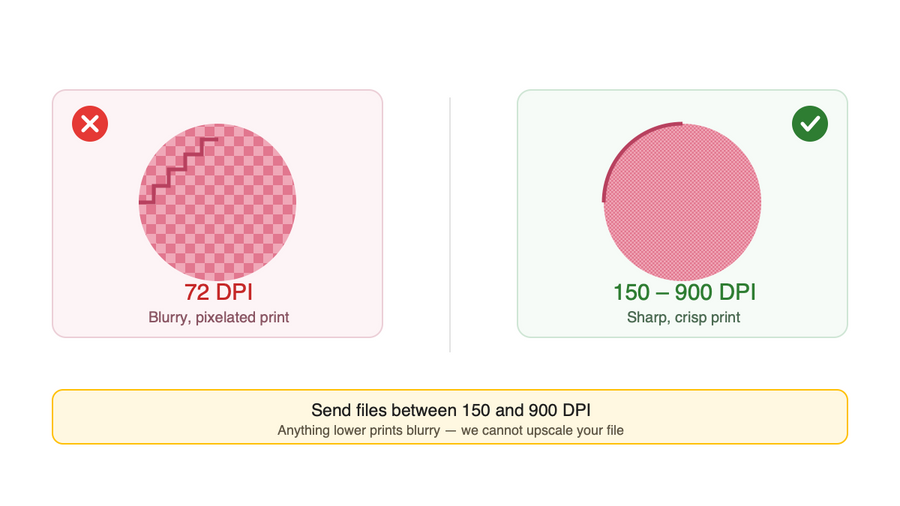
- Acceptable File Quality: 150 – 900 dpi

- Please indicate the final image dimensions in writing. Whatever you send in a gang file will be printed according to the size you have selected! *We cannot resize your image. 

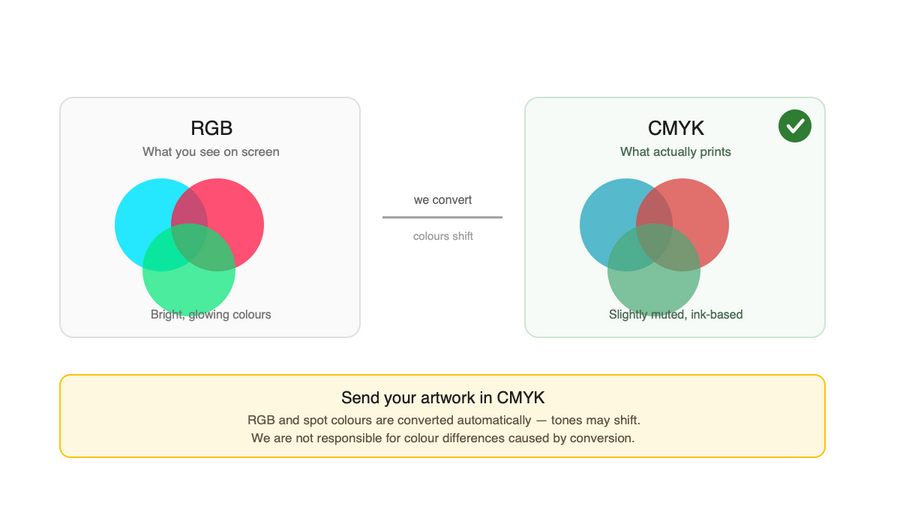
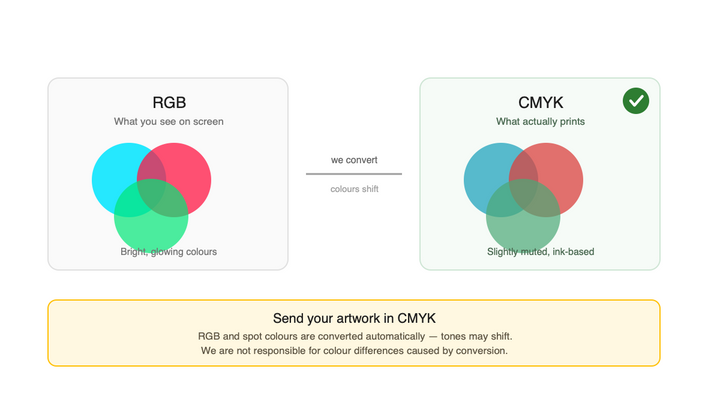
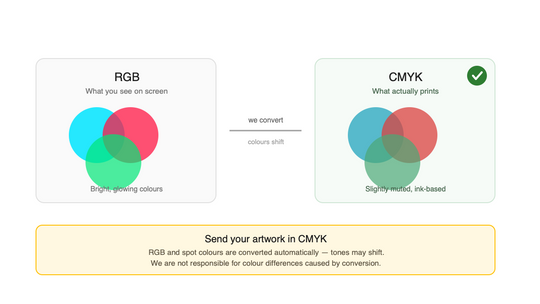
- All artwork needs to be in CMYK Format. If RGB is sent, we will automatically convert the file to CMYK. Color differences may occur during conversion. We are not responsible for any color or tone difference! 

- Spot color artwork will be converted to CMYK

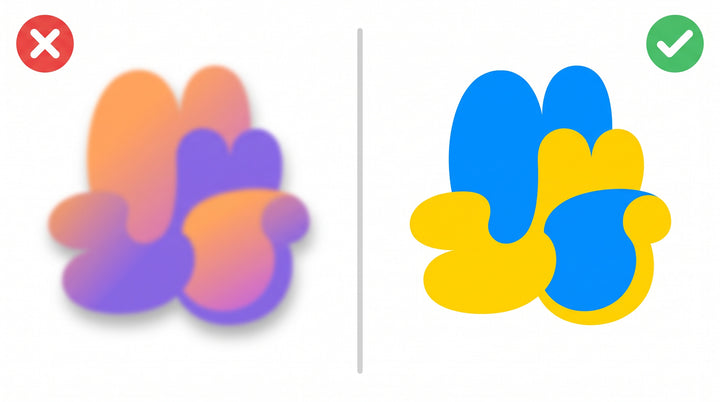
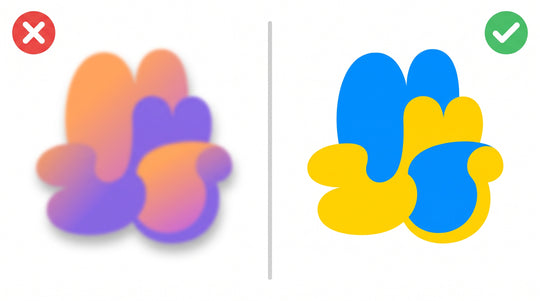
- Please take off any SHADOW or gradient effects, as it will not print as you see on the screen.

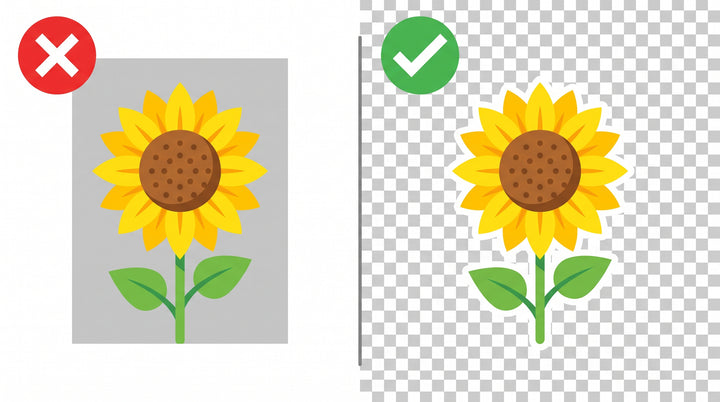
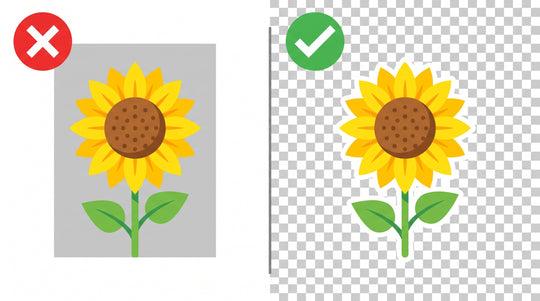
- If needed, remove the background. We do NOT review files one by one. Whatever file is sent gets printed. If you send us the file with a background, the background will be printed! Please review all images before sending the file and make sure it has no background! 

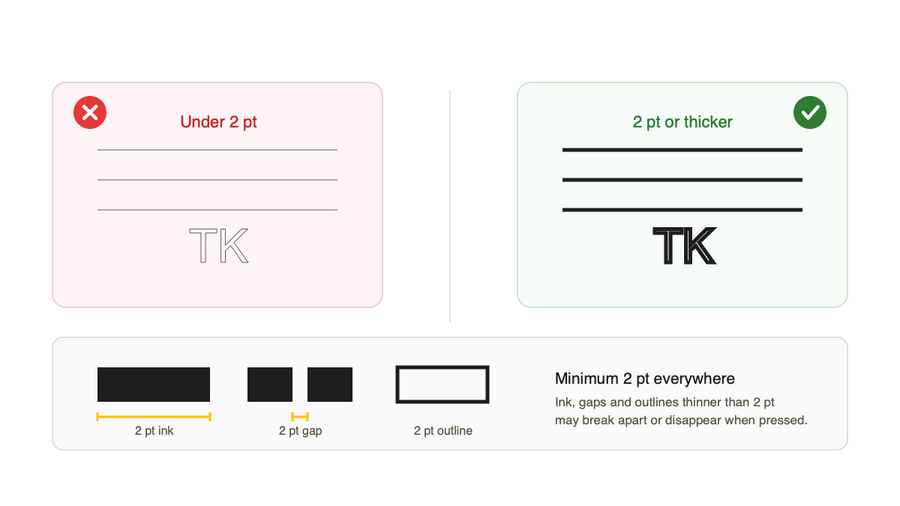
- Required line spacing: 2pts positive space, 2pts negative space, outlines 2pts

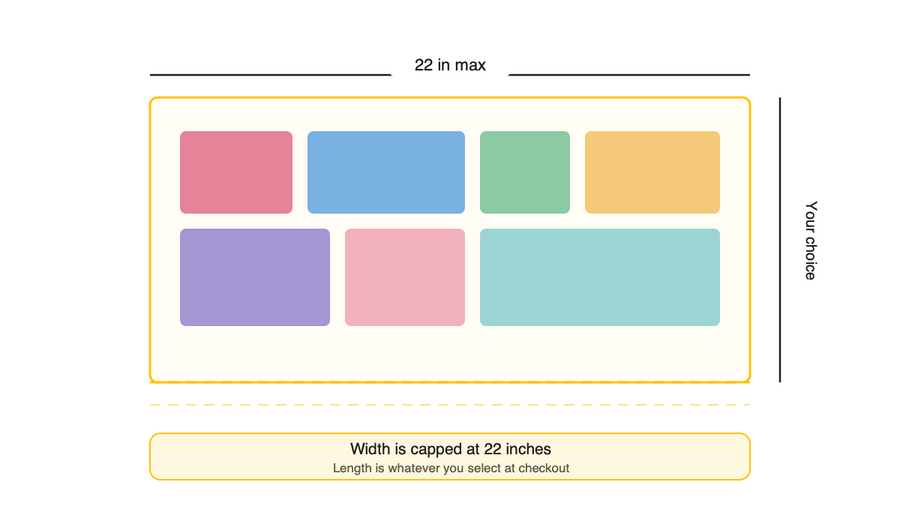
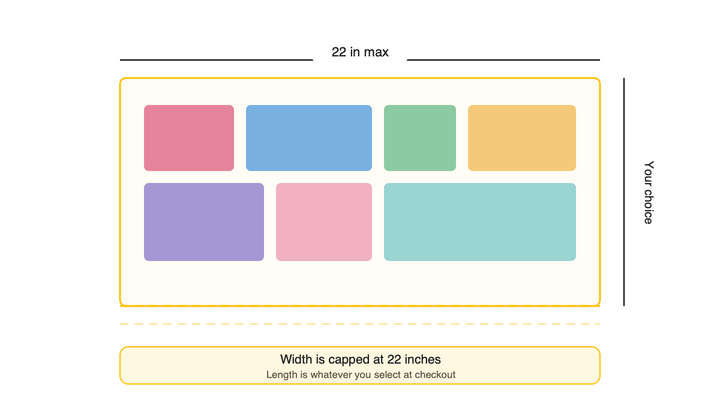
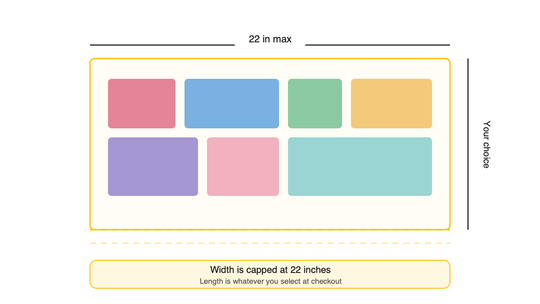
- Maximum width is 22 inches and the length of your choosing at checkout time.

- IF THE ARTWORK DOES NOT MEET REQUIREMENTS, WE MAY HAVE TO CANCEL YOUR ORDER.
Get your file right the first time

We print exactly what you send us. These four rules cover almost every order that goes wrong — check them before you upload.

File types

Send a print-ready file

.ai · .pdf · .psd · .png · .tif · .jpg Vector files (.ai, .pdf) give the sharpest result. Flatten your layers before exporting.

Upload Your Image Upload Your Image Upload Your Image
Resolution

150 – 900 DPI

Anything lower prints blurry. We cannot upscale or resize your file, so export at the size you intend to print.

Upload DTF Gang Sheet Upload DTF Gang Sheet Upload DTF Gang Sheet
Colour mode

CMYK only

RGB and spot colours are converted automatically and tones may shift. We are not responsible for colour differences caused by conversion.

Build a Gang Sheet Build a Gang Sheet Build a Gang Sheet
Dimensions

22 in maximum width

Length is whatever you select at checkout. State your final image dimensions in writing — a gang file prints at the size you chose.

Upload UV Sticker Gang Sheet Upload UV Sticker Gang Sheet Upload UV Sticker Gang Sheet

Before you upload

Remove the background icon

Remove the background

We do not review files one by one. If your file has a background, the background gets printed. Check every image before you send it.

Drop shadows and gradients icon

Drop shadows and gradients

Take off shadow and gradient effects. They will not print the way they look on your screen — use flat, solid colour instead.

Keep everything 2 pt or thicker icon

Keep everything 2 pt or thicker

Ink strokes, the gaps between them and any outlines all need at least 2 pt. Thinner detail can break apart or disappear when pressed.

Tell us the final size icon

Tell us the final size

Write down the finished image dimensions. Whatever you send in a gang file is printed at the size you selected — we cannot resize it for you.

Common mistakes

What goes wrong most often

Almost every cancelled order comes down to one of these three. Each one takes a minute to fix in your design software.

The three that cost people orders

  • Backgrounds get printed

    A solid block behind your artwork is not ignored — it is printed as part of the design. Save your file with a transparent background before sending it.

  • Shadows and gradients do not transfer

    Soft shadows and fading gradients look smooth on screen but press unevenly. Flat, solid colour gives a clean, predictable result.

  • Thin lines fall apart

    Strokes, gaps and outlines under 2 pt can break up or vanish during pressing. Thicken fine detail before you export.

Ideal For:

  • Print shops running daily gang sheets

  • Apparel brands sending their own artwork

  • Crafters preparing a one-off design

  • Resellers uploading customer files

Step by step

From artwork to order

Four steps between your design file and a transfer that presses the way you expect.

RGB screen colours converted to CMYK print colours showing tone shift

Export at the right settings

CMYK colour, 150–900 DPI, at the exact size you want printed. Accepted formats: .ai, .pdf, .psd, .png, .tif, .jpg.

DTF artwork with an unwanted background versus a correct transparent background

Clean up the artwork

Remove the background, delete shadow and gradient effects, and thicken any line, gap or outline under 2 pt.

DTF artwork with drop shadow and gradient versus correct flat solid colours

Check it yourself

We do not review files individually — whatever arrives gets printed. Open every image one last time and confirm it is clean.

Gang sheet size guide: maximum 22 inch width with length chosen at checkout

Upload and order

State your final dimensions in writing, pick your length at checkout, and send it through.

RGB screen colours converted to CMYK print colours showing tone shift

Export at the right settings

CMYK colour, 150–900 DPI, at the exact size you want printed. Accepted formats: .ai, .pdf, .psd, .png, .tif, .jpg.

DTF artwork with an unwanted background versus a correct transparent background

Clean up the artwork

Remove the background, delete shadow and gradient effects, and thicken any line, gap or outline under 2 pt.

DTF artwork with drop shadow and gradient versus correct flat solid colours

Check it yourself

We do not review files individually — whatever arrives gets printed. Open every image one last time and confirm it is clean.

Gang sheet size guide: maximum 22 inch width with length chosen at checkout

Upload and order

State your final dimensions in writing, pick your length at checkout, and send it through.